
Menu
Sale!

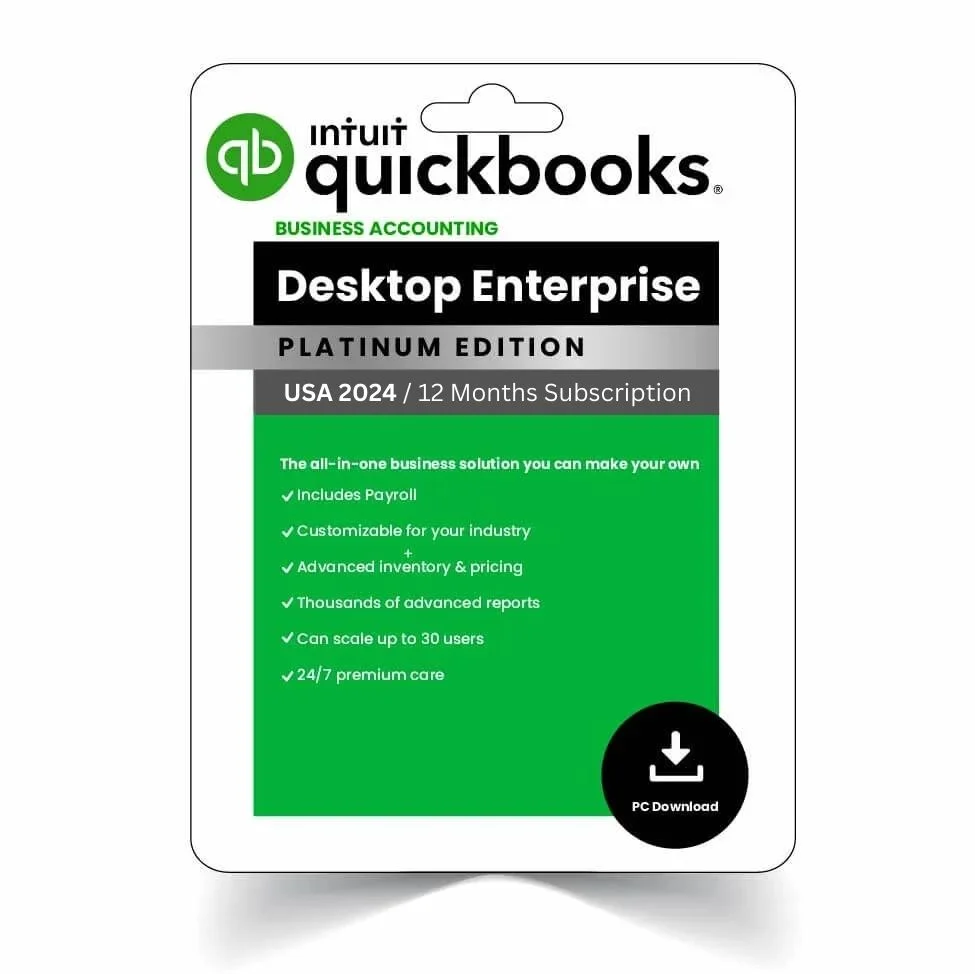
QBks Desktop Enterprise 2024 – US Version Professional Accounting Software 1-Year subscription
--
Items sold in last 24 hours
$450.00 Original price was: $450.00.$430.00Current price is: $430.00.
326
People watching this product now!
QuickBooks Desktop Enterprise – US Version (12-Month Subscription) with instant license key delivery and official download access. Advanced enterprise accounting software featuring powerful inventory management, customizable reporting, multi-user scalability, and secure local data storage for growing businesses.
Description
QuickBooks Desktop Enterprise – US Version (12-Month Subscription)
Genuine License Key – Instant Delivery – Official US Version
Buy QuickBooks Desktop Enterprise – US Version with a 12-month subscription and unlock the most advanced QuickBooks desktop accounting solution available.
Designed for medium to large businesses that require advanced inventory, reporting, pricing controls, and multi-user scalability, QuickBooks Enterprise delivers maximum performance, security, and operational control.
If you’re looking to buy QuickBooks Desktop Enterprise US version with instant activation and secure local storage, this is the complete professional solution.
✔ Instant License Key Delivery
Your QuickBooks Desktop Enterprise activation key is delivered immediately after purchase.
No shipping. No delays.
Download, install, and activate within minutes.
✔ 100% Genuine Intuit ProAdvisor License
We provide authentic Intuit ProAdvisor-registered licenses to ensure:
-
Secure and seamless activation
-
Official US version compatibility
-
Reliable performance
-
12 months of updates and feature enhancements
✔ Advanced Desktop Security – Full Local Data Control
QuickBooks Desktop Enterprise stores all company data locally on your computer — not in the cloud.
This ensures:
-
Complete data ownership
-
No remote third-party access
-
Enhanced business confidentiality
-
Greater compliance and security control
Ideal for businesses that require strict financial data protection.
What’s Included
-
Official QuickBooks Desktop Enterprise (US Version) download link
-
Genuine activation license key
-
12-month subscription access
-
Free automatic updates
-
Unlimited support from certified Intuit ProAdvisors
Enterprise-Level Features for Growing Businesses
Advanced Inventory Management
Track serial numbers, barcodes, FIFO costing, and multiple warehouses with precision.
Advanced Pricing Controls
Create custom pricing rules by customer type, quantity, or promotional structure.
Powerful Reporting & Analytics
Access customizable financial reports, job costing reports, and advanced business insights.
Multi-User Scalability
Support multiple users with role-based permissions for better operational control.
Advanced Invoicing & Sales Management
Generate professional invoices, track payments, and monitor receivables efficiently.
Expense & Cash Flow Tracking
Monitor expenses in real time and optimize financial performance.
Bank Reconciliation
Simplify transaction matching and improve accounting accuracy.
Customer & Vendor Management
Centralize contacts and transaction history for streamlined communication.
Third-Party App Integration
Connect seamlessly with payroll systems, CRM tools, and e-commerce platforms.
Data Migration Tools
Easily transfer company files from previous QuickBooks versions without data loss.
System Requirements
-
Windows 10 or Windows 11 (64-bit recommended)
-
2.4 GHz processor minimum (4 GHz recommended)
-
4 GB RAM minimum (8–16 GB recommended for multi-user use)
-
2.5 GB available disk space (additional space required for data files)
Why Buy QuickBooks Desktop Enterprise – US Version?
✔ Instant activation license key
✔ Genuine 12-month subscription
✔ Official US version compatibility
✔ Advanced inventory & reporting tools
✔ Secure local desktop accounting
✔ Trusted by thousands of businesses
QuickBooks Desktop Enterprise is the most powerful desktop accounting solution for businesses that demand scalability, precision, and total financial control.
Upgrade today and experience enterprise-level accounting performance built for serious business growth.
6 reviews for QBks Desktop Enterprise 2024 – US Version Professional Accounting Software 1-Year subscription
Add a review Cancel reply
Rated 4.33 out of 5 based on 6 customer ratings
(6 customer reviews)
Related products
-
Sale!
QBks Desktop Pro Plus 2024 – Lifetime License for Professional Accounting Software
$240.00Original price was: $240.00.$179.99Current price is: $179.99. Buy now -
Sale!
QBks Desktop Premier Plus 2023 – Powerful Accounting Software 1-Year Access for Windows
$230.00Original price was: $230.00.$169.93Current price is: $169.93. Buy now -
Sale!
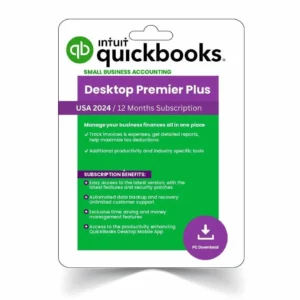
QBks Desktop Premier Plus 2024 – 12-Month Professional Accounting Software for Windows
Rated 4.67 out of 5$599.00Original price was: $599.00.$169.94Current price is: $169.94. Buy now -
Sale!
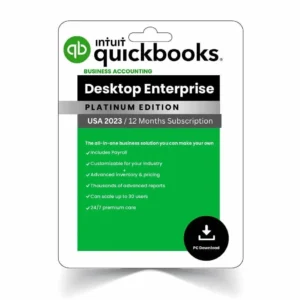
QBks Desktop Enterprise 2023 – US Version Advanced Accounting Software 1-Year Subscription
Rated 1.00 out of 5$370.00Original price was: $370.00.$350.00Current price is: $350.00. Buy now
FAQs
Frequently asked questions
Online accounting software is sometimes called 'cloud-based software'. It allows users to create, store and send invoices from any device. You don't need anything saved on your computer, and there are no disks to load. Simply log in on a web browser and jump right into your QuickBooks online account. Your personal data and settings are right there, stored safely in 'the cloud'.
There are multiple reasons why businesses are choosing to move to the cloud instead of using traditional methods to manage their businesses.
The advantages of moving to the cloud with QuickBooks for your business include: saving time and costs by automating tasks with our invoicing and bank feeds features, third party integrations, real-time updates and reporting insights, enhanced security, and the ability to access your business data from anywhere at anytime. You can read more about moving your business to the cloud here.
Start with a free 30-day trial today to start exploring all the benefits of managing your business online.
QuickBooks is an easy-to-use accounting software that can help you automate tasks such as bookkeeping, invoicing, expense tracking, inventory management and more. We have been an industry leader for 40 year and are trusted by over 7 million customers globally.
We offer different plans and features designed for businesses of all sizes and industries. We also integrate seamlessly with a wide range of third-party apps and services to help you improve your workflow enabling you to customise our platform to suit your business needs.
We take pride in providing exceptional customer service support. We offer free set up sessions with our QuickBooks experts to help you get started with your account. In addition, we have 24/7 chat with our dedicated team, who are alsways ready to assist you with any questions or concerns you may have.
You will also have access to a range of on demand webinars and video tutorials.
QuickBooks is tough to beat on customer service and great value.
Choosing the right plan depends on the specific needs for you and your business. We offer different plans that have been designed to cater to different requirements:
Simple Start: This plan is ideal for freelancers, solopreneurs, or small businesses that are just starting. Simple start offers essential features for tracking income and expenses, invoicing, and accessing financial reports.
Essentials: This plan is perfect for small businesses that require features like bill management, employee time tracking, multi-currency support, or managing multiple users, including your accountant.
Plus: This plan offers advanced features such as inventory tracking, project profitability analysis, multi-currency support, making it a great choice for businesses that require more comprehensive financial management.
Remember that you can always start with a plan that suits your current needs and upgrade as your business expands.
Our team is here to guide you through the process and help you find the perfect fit for you and your business. You can start a chat with us in the chat box on the right, if you want us to help you decide what is the best plan for you.
When you use QuickBooks Online, your data is stored on our servers in the cloud. We know that data is one of your company's most valuable assets, so we go to great lengths to protect it.
We rely on advanced, industry-recognised security safeguards to keep all of your financial data private and protected. QuickBooks Online is a DigiCert® secured product. DigiCert® is the leading secure sockets layer (SSL) Certificate Authority. With password-protected login, firewall protected servers and the same encryption technology (128 bit SSL) used by the world's top banks, we have the security elements in place to give you peace of mind. To learn more about how we keep your data secure you can visit https://softkeygo.shop/terms-of-service
We offer a 30-day free trial period so you can see if QuickBooks is right for your business. Just enter your name, email address and choose a password and you're good to go - we don't ask for your payment details for trial and you can cancel anytime. Choose your right plan here.
QuickBooks Online can be accessed from any web enabled mobile device with a web browser. The experience is optimised on any iOS device (iPad, iPhone or iPod Touch) and Android tablet or Smartphone with the QuickBooks online app.
QuickBooks Online can be accessed from any web enabled mobile device with a web browser. The experience is optimised on any iOS device (iPad, iPhone or iPod Touch) and Android tablet or Smartphone with the QuickBooks online app.
You will need an internet connection to access QuickBooks online.
There is no need to download QuickBooks Online because it is connected to the cloud, which means you can access it from any device with an internet connection. You can download the QuickBooks online mobile app from the Google Play Store or Apple App Store.
Absolutely. Since your accounting system is connected to the cloud, they can use their own login to access reports like the general ledger, balance sheet, or cash flow statement whenever they need.

The Premier Source for QuickAccounting Software Licenses
📧 Email: contact@softkeygo.shop
📍 Address: 2120 CHEMIN DES SAINTS-PERES, 13090 AIX-EN-PROVENCE
🕒 Operating Hours: Monday – Friday | 08:00 – 18:30 (CET)
📍 Address: 2120 CHEMIN DES SAINTS-PERES, 13090 AIX-EN-PROVENCE
🕒 Operating Hours: Monday – Friday | 08:00 – 18:30 (CET)
OUR POLICIES
MAIN MENU
Newsletter
Get the latest news, updates, and valuable insights — sign up for free!
© 2026 This brand is managed by ACMP-WEB ( Company No: 519081541 ). All rights reserved.
John Anderson, CFO at Horizon Analytics –
Since switching to QB Accounting Desktop Enterprise, our month-end closes have never been smoother—it’s truly transformed our financial workflow.
Emily Carter, Controller at Redwood Manufacturing Co –
The interface is so intuitive that even our non-finance team members can pull professional reports in minutes.
Michael Reynolds, VP of Finance at Evergreen Solutions LLC –
With the 12-month US subscription, we get all updates and support without any hidden fees—total peace of mind.
QuickBooks Customer Care –
Thank you for noting that our 12-month US subscription covers all updates and support with no hidden fees—we’re glad it brings you peace of mind!
Sarah Mitchell, Accounting Manager at Silver Lake Logistics –
Bank feed integration cut our reconciliation time in half. I’d recommend this to any growing business
QuickBooks Customer Care –
Thank you for sharing how our bank feed integration has halved your reconciliation time—that’s fantastic to hear! If you’d like tips on setting up advanced bank rules or automating more of your workflow, our QuickBooks Customer Success team is here to help.
David Thompson, Finance Director at Crestwood Retail Group –
I’ve tested other desktop packages, but QB Enterprise handles our large transaction volumes effortlessly.
QuickBooks Customer Care –
Hi David,
Thank you for taking the time to share your experience. We’re thrilled to hear that QuickBooks Desktop Enterprise is handling your large transaction volumes effortlessly—optimizing performance at scale is exactly what we set out to achieve. If there’s ever anything we can do to help you fine-tune settings or integrate additional modules for even greater efficiency, please don’t hesitate to reach out to our support team at info@softkeygo.shop . We appreciate your feedback and look forward to supporting your continued success!
Zachary Brooks, Senior Accountant at Midtown Logistics –
QuickBooks Desktop Enterprise handles our transaction volumes reliably, but the initial setup was more time-consuming than I expected and some advanced reporting features aren’t as user-friendly. It’s a solid tool, though it could use a few usability tweaks.
QuickBooks Technical Support –
Hi Zachary,
Thank you for taking the time to share your experience. I’m glad to hear QuickBooks Desktop Enterprise is reliably handling your transaction volumes. I understand that the initial setup and some of the advanced reporting tools can feel a bit cumbersome.
To help smooth out the setup process, you might find our step-by-step installation guide and video walkthroughs useful—I’ll send you those links directly. For the advanced reports, our Report Builder add-on lets you create and save custom layouts that match your workflow more intuitively. If you’d like, our team can schedule a one-on-one session to tailor those reports exactly how you need them.
Please feel free to reach out anytime at info@softkeygo.shop. We appreciate your honest feedback and are committed to making QuickBooks even more user-friendly for you.